Site Metrics and Web Analytics by NextSTAT

Monday, June 10, 2013

Everything Apple Announced Today At WWDC [Round-Up]


Apple just finished its WWDC keynote and holy crap, there is a ton of new stuff coming to iOS 7 and OS X. A radical looking Mac Pro was also showed off alongside some MacBook Airs with all-day battery life.
To help save you some time, here’s a list of everything new Apple introduced today at WWDC 2013 that we’ll be updating throughout the day as new info become available.
iOS 7
Screen Shot 2013-06-10 at 2.22.51 PM
  • Completely redesigned interface
  • New Lockscreen
  • New translucency and Parallax allows you to see layers of info
  • Weather app has interactive displays
  • Calendar has new minimalist UI
  • Multiple page support in Folders
  • Notification Center now available on Lock Screen
  • FaceTime audio calls
  • Notification syncing
  • Phone and Message blocking
  • Activation lock disables phone if stolen
  • iPhone beta available to developers today
  • Coming this fall
Control Center
  • Swipe up from bottom of device to access toggles quickly
  • Turn on Airplane Mode, adjust brightness, AirDrop, etc.
Multitasking
  • New interface shows app cards
  • Multi-tasking for all apps with great battery life
  • Puts apps into scheduled background cycles
  • Adapts to network conditions
Safari
  • New full-screen look
  • Pull down from top brings up smart search field
  • iCloud Keychain support
Camera
  • Redesigned UI
  • New filters
  • Accessible from Control Center
New Photos App -
  • Collect photos into ‘Moments’ based on location, date, or people.
  • Look across photo collection by pinch-to-zooming through Photostream
  • Share photos via AirDrop, Twitter, Facebook, iMessage, etc.
  • See comments from people you’ve shared the picture with directly in image
AirDrop
  • Share images with friends
  • System-wide support with apps with share-sheets
  • Works on iPhone 5, iPad 4, 5th Gen iPod Touch
Siri
  • New interface with wave animation
  • All new female and male voices
  • Can now control more of your device such as adjusting brigthness
  • Wikipedia and Bing search results integrated directly into Siri
iOS in the Car
  • Get iOS on your car’s dashboard screen
  • Get directions, play music, have iMessages dictated to you and more, eyes free.
  • Supported by more than 12 car manufacturers in 2014
App Store
iTunes Radio
  • Built directly into iOS Music app.
  • Featured Stations stream music based on its theme.
  • Share stations with friends, or create your own based on favorite artists
  • Preview and purchase songs directly in the app.
  • Support on Mac, PC, iPad, iPhone, iPod Touch, and Apple TV
  • Free for all users
  • Completely ad-free for iTunes Match subscribers
  • Launches in the U.S.
OS X 10.9 Mavericks
mavericksosx
  • OS X names will now be California-themed
  • New Finder Tabs
  • Tags for files – keep track of files by adding a tag in OS X
  • Multiple Displays – much more powerful. Menus and dock appears on both displays.
  • OpenGL 4 support
  • Time Coalescing - helps improve your CPU efficiency by up to 72%
  • 1.5x faster at waking a system from standby
  • Accelerated Scrolling optimized for Retina displays
  • AppNap – lets you pause apps to prevent battery drain
  • Developer preview available today
  • Releases Fall 2013
Safari
  • New Sidebar with reading list, bookmarks and shared links
  • Big performance improvements
  • 1.44x faster in SunSpider JavaScript benchmark than Chrome and Firefox
  • Improved CPU energy uses
iCloud Keychain
  • Remembers your website logins, credit card numbers, etc.
  • Can suggest to auto-fill your forms for you with private info
Notifications
  • Reply to iMessages, Email, FaceTime calls right from desktop
  • Get push notifications from iOS apps on your Mac
  • Tells you what you missed on your lock-screen
  • Apps update in the background
Maps for OS X
  • Street Maps
  • 3D Flyover
  • Info cards
  • Turn-by-turn directions
  • Send directions to your iPhone
iBooks for Mac
iWork for iCloud
  • Create iWork docs from a web browser
  • Works on OS X or Windows
  • New iWork releases coming to Mac and iOS later this year
Macbook Air

macbookairnew
  • All-day battery life thanks to Haswell processor
  • 2X GPU execution units with 40% faster graphics
  • 11-inch MBA will have 9 hours of battery life
  • 13-inch MBA now has 12 hours of battery life
  • 45% faster SSD storage
  • Faster WiFi 802.11ac card
  • 11-inch starts at $999 with 128GB storage
  • Ships today
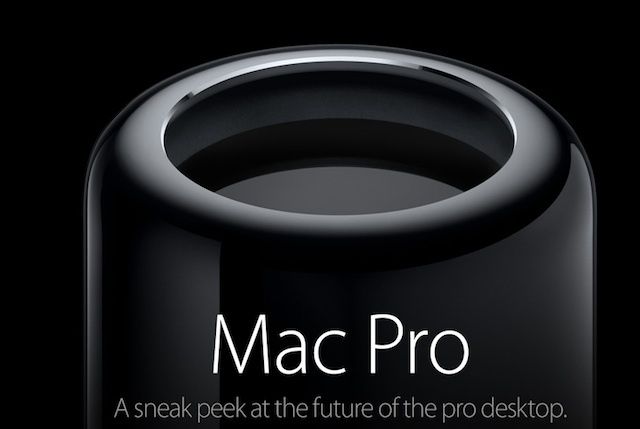
Mac Pro
newmacpro
  • New unified thermal-core body
  • Intel Xeon with up to 12-core
  • Fastest ECC memory
  • PCIe Storage that’s 10x faster than any previous Mac Pro drive
  • Thunderbolt 2 support. 20GBps throughput
  • Dual workstation GPUs
  • 4k display support
  • 1/8th the size of old Mac Pro
  • Made in the USA
  • Coming later this year
AirPort Extreme and Time Capsule
  • New design
  • 802.11ac Wi-Fi 
  • Room for harddrive storage to beam files
Company Stats
  • 600 million iOS devices sold to date
  • 24th WWDC
  • attendees from 66 countries
  • 6 million registered developers
  • WWDC sold out in 71 seconds
  • 1 million daily vistors at the 407 Apple Stores in 14 countries
  • 50 billion apps download from the App Store
  • 300 million iTunes in the Cloud users
  • 900,000 apps in the store
  • 375,000 iPad apps
  • 575 million App Store accounts (more accounts with credit cards than any store)
  • $10 billion has been paid to developers ($5 billion just last year)
  • 72 million Macs installed
  • 28 million copies sold of OS X Mountain Lion
  • 35% of Mac users are now using OS X 10.8
Source: cultofmac.com

Report: Google Close to Buying Waze for $1.3 Billion

The bidding war for crowdsourced navigation app Waze has reportedly been won by Google, which will pay "more than $1 billion" for the startup, according to Israeli newspaper Ha'aretz. Update: The newspaper later added that the deal will be worth $1.3 billion.

The deal hasn't been finalized yet, but according to the report, Google agreed not to lay off Waze workers at its development center in Israel, and will allow the company to continue its development in Israel "for at least three years."

According to the report, the conditions of the deal will keep Waze CEO Noam Bardin at the helm of the company, and Waze will retain its brand and won't be integrated into Google.

A deal for the free social-powered navigation app for iPhone has been in the works for a few months, with the bidding for Waze reportedly involving Facebook and Google.

As Mashable reported on May 24, Apple was also rumored to be considering a bid for Waze earlier this year, but on May 28, Apple CEO Tim Cook denied that Apple made a bid for Waze.

We contacted Google and Waze for verification of the alleged deal, and Waze didn't immediately respond to our request for comment. Google replied, "We don't comment on rumor or speculation."

Source : mashable

Friday, June 7, 2013

Facebook Starts Rolling Out Home Improvements

Facebook updated its Android app Tuesday, and enhanced Facebook Home, its all-encompassing skin for Android smartphones.

Facebook Home now has a dock, making it easier to access favorite apps.

The addition of the dock is the first of many improvements Facebook has planned for Home, improvements being made in part based on the reactions of early adopters to the launcher.

“We’ve spent a lot of time digging through the one star ratings,” Facebook's Director of Mobile Engineering Cory Ondrejka told a small group of reporters earlier this month.

Facebook already has plans to add folders for grouping your apps to Home as well.

In addition to the changes to Home, Facebook added the ability to send multiple photos in a single message, and the ability to change who can see something you’ve already shared to its traditional Android app Thursday.

The updated Facebook Home and Facebook Android app are available now from Google Play.

Source : mashable

Wednesday, June 5, 2013

Microsoft Word, Excel, PowerPoint and OneNote to ship free with x86 Windows 8 tablets


During today's Computex keynote, Microsoft Windows chief Tami Reller just announced that new x86 Windows 8 tablets will include Office in the box. The executive didn't detail the software offering, beyond mentioning that Word, Excel, PowerPoint and OneNote will all be included. Windows RT devices, for their part, will now also include pre-installed Outlook, beginning with the Windows 8.1 update, which is due to arrive as a preview version later this month.

Source: engadget.com

Intel Scores Major Coup With Samsung Galaxy Tab 3

While Samsung's new Galaxy Tab 3 10.1 looks similar existing models in the Galaxy family, on the inside it's a bit different: The new tablet packs an Intel Atom processor.

This is a big win for Intel, a company that has continued to struggle to gain footing in the smartphone and tablet space.

Most Samsung products — including previous Samsung Galaxy Tab devices, as well as the Galaxy Note line — use ARM processors from Qualcomm or Samsung.

Intel claims that its Atom Z2560 processor (known as Clover Trail+) offers "double the compute performance and 3x the graphics capabilities" as its previous-generation Atom platform.

Intel also brings its own integrated graphics chip to its platform.

In terms of real-world results, we'll need to see some benchmarks (and try the device out in person) before evaluating if Clover Trail+ can take on the latest and greatest processors churned out by Qualcomm and others.

Still, getting Samsung to commit to using Intel on its tablet line — even if this isn't the higher-end Galaxy Note series — is a big coup.

I've long thought that Intel should go back to making ARM processors (ironically a business the company exited with the sale of XScale to Marvell back in 2006, right as the ARM-based market was poised to explode), but perhaps with enough traction and good will, the Atom platform can become a viable alternative for manufacturers seeking news chipsets.

Source : mashable

Tuesday, June 4, 2013

Is Twitter Testing a New Look for Threaded Conversations?

It looks like Twitter is testing a new look for messages and replies on Twitter.com.

Twitter has offered users the ability to see previous tweets and replies for some time, but now it appears the service will make the thread of those conversations more visible in the general timeline.

On Friday, David Higgins ran across the new look:

Others have run across the new look on their feeds as well.

In the past, in order to view the full context of a Tweet reply, users had to click on the tweet in question to see its expanded view. Now, it looks like the context for some tweets will appear in-stream.


For now, it looks like Twitter is rolling out this UI update slowly. We reached out to the company but haven't received a response.

What do you think of this look? Let us know in the comments.

Source : mashable


Twitter and Traditional Media: Rivals or Lovers?

Not long ago, the media looked at the web as if it was an awkward, unwanted stepchild. Today, the reverse is arguably true, with debate growing over whether social networks such as Twitter will overtake beacons of journalism like The New York Times.

At last month's Milken Institute Global Conference, PayPal co-founder Peter Thiel said he thinks Twitter will outlast The Times. His reasoning: Its business strategy is more solid than that of the storied newspaper.

The debate got journalists talking on forums such as Muck Rack, with many people disagreeing. Some said it isn't a mutually exclusive relationship, or that one's success is predicated on the other's failure.

Comments from Twitter's CEO seem to support this. At All Things D's conference last week, Dick Costolo took the opposite approach to Thiel, and essentially called Twitter a friend to media companies — whether they're print, television or strictly online.

"We think of ourselves as very complementary to news orgs," he told All Things D's Kara Swisher. "We’re the platform for global information distribution for the people, by the people. The news orgs are the curators, the editors, the analysts. They do that important work."

When Swisher asked if Twitter is looking to expand and morph into a news organization, Costolo said that's not in the microblogging network's future: "No, I see us partnering more with news orgs to distribute this real-time feed of info, probably working with companies that can help organize that information and dole it out to news org readers."

Detractors aside, many media pundits see the two as far more intertwined than anyone envisioned when Twitter debuted seven years ago.

"I think they're in love," press critic and New York University professor Jay Rosen told Mashable. "Nothing more to say."

This mutual affection has helped Twitter and other social networks become tools for journalists, according to Dan Pacheco, chair of journalism innovation at Syracuse University's Newhouse School. Rather than pitting news organizations against Twitter, Pacheco said there should be a focus on "the emergence of journalists as social-media brands."

Twitter has enabled journalists to amplify their voices and brands, he said, thereby helping them get more attention than they previously would have without the social network.

"The brands with most impact will be connected to individual journalists," Pacheco told Mashable. "For example, The New York Times' David Carr (@carr2n) has 420,000 Twitter followers that he built through authentic usage of the social media ... Is that all David Carr on Twitter, or all New York Times? It's a little of both."

Mark Glaser, executive editor of PBS MediaShift, agrees that it's all about making Twitter work for news organizations as a partner, rather seeing it as an enemy.

"The idea for publishers and news orgs is that they need to work Twitter to their advantage," Glaser said, citing driving site traffic, and selling sponsored tweets, as examples. "All these deals between Twitter and ESPN, Fox, etc., seem to be additive to the publishers and helpful, as long as these deals are not exclusive."

Therein lies the irony: As news organizations vie for eyeballs and page views, they are getting those numbers largely from posts on social sites — the new pathways to news. Last year, a report by the Pew Research Center showed exactly where Internet users are spending their time, and from where they're getting their news. The answer is increasingly social networks.

Pew found that the average Facebook user spent about 423 minutes a month on the site compared to under 12 minutes per month on a top 25 news site. While Facebook users consume news differently than Twitter users (with Facebookers getting more news from friends and family, as opposed to friends, family and news outlets for Twitter users), and most people are still going straight to news websites for their information, the tide is turning more towards social becoming a go-to source.

Such an intimate relationship between news consumption and social platforms such as Twitter therefore cannot be ignored.

"The key for publishers is to make sure they can own the relationships between themselves and fans/followers," Glaser said. "And not let Twitter get that."

Source : mashable

Monday, June 3, 2013

Samsung Galaxy S III Android 4.2.2 firmware leaks


Do you own the Samsung Galaxy S III or are you a fun of the device? The great news for you is about the upgrading of this Smartphone to the Android 4.2.2 Jelly Bean operating system that will come with so much of the unique features.

This time Samsung Company has decided to bring up the software update for their Galaxy S III flagship so that the device can be upgraded to a better one with better apps and perfect functionality as well as other features.

You must be celebrating about this as one of the funs of the Samsung Galaxy Smartphones as they are taken to the next level of operation.

The new features that Samsung Galaxy S III Android 4.2.2 will bring
  • Some of the features for the starters will include the expanded notifications just as the usual Android 4.2 features. It will also include the lock screen widgets as well as the Daydream support.
  • The Samsung Galaxy S III Android 4.2.2 will also have the usual two finger swipe that will be able to reveal some additional options just as the Android 4.2 which was initially in use
  • The update of this Samsung Galaxy S III will also have some other several features added as the ones that were introduced on the Samsung Galaxy S4 if you have the idea of which kind of features they were
  • The Samsung Galaxy S III Android 4.2.2 will also bring about the new lock screen animations as well as the improved notifications screen with some additional shortcut buttons for the users to make their work and operation of this device much easy.
  • The update will also come with the new settings app UI as well as the improved S Voice white background option in the gallery app. The Samsung Galaxy S III Android 4.2.2 will also enable the display colour profile settings and so much more.

When will this Android 4.2.2 update for the Samsung Galaxy S III start rolling out?

The Samsung Galaxy S III Android 4.2.2 update is actually expected to start rolling out in the month of June this year so be patient and get ready for it. This might be sounding too far for you but it is just one month away and you will be having the update.

The Samsung Company is really working on the update so that you will be able to find the perfect end product when it is finally ready for the rolling out in your Smartphone.

Source: androidflip.com

Yahoo Shutting Down Mail Classic, Forces Users to Upgrade

Yahoo is discontinuing older versions of its email client — including Mail Classic — starting this week, the company announced.

"Beginning the week of June 3, 2013, older versions of Yahoo! Mail (including Yahoo! Mail Classic) will no longer be available," it said in a Yahoo! Help post.

After Monday, users can only access their Yahoo email accounts if they upgrade to the new version. The company said users should have received an email informing them of the mandatory upgrade.

Getting the new version of Yahoo Mail means that users accept its Communications Terms of Service and Privacy Policy, which includes "the acceptance of automated content scanning and analyzing of your communications content, which Yahoo uses to deliver product features, relevant advertising and abuse protection," the post said.

Those who want to opt out of contextual ads can do so by changing their settings on Yahoo's Ad Interest Manager.

Yahoo lays out two options for users who don't want to use the latest version of its email client: downloading Yahoo Mail using IMAP or simply closing their account.

Last December, Yahoo Mail underwent a major redesign, unveiling changes to its web, iOS, Android and Windows 8 apps. Its web-based version includes fewer buttons crowding the screen, search improvements, as well as more space to view and compose emails.

"We've redesigned the new version of Yahoo Mail with speed in mind — getting through your emails is faster than ever before," CEO Marissa Mayer said in a blog post at the time.

Do you plan to switch to the new Yahoo Mail? Tell us in the comments, below. 

Source : mashable

This Simple Action Will Dramatically Grow Your LinkedIn Network

If you’re on LinkedIn, you want to grow your network. You want to connect with as many people as you can, because there’s some serious career-boosting power in those connections.

But there’s something you’re probably not doing, at least not on a regular basis — and it’s a move that will give you a far better bang for your networking buck.

Write a Personal Message

Most people don’t do this. Think about how many requests land in your inbox without a note — the majority of them, right?

And what about you? Do you add a personal note every single time you request to connect with someone on the network? Or do you hope that potential connection will recognize your name or connect on faith alone?

Since so few people write a personal note, that means opportunity for you. Because when you do something differently, it helps you stand out.

But this tip is about more than being unique. It’s about making it as easy as possible for the person you’d like to connect with to say yes.

Make Yourself Memorable

A lot of the people you want to connect with have huge networks. That means they often meet new people, either online or in person, and they get a lot of LinkedIn requests. And inevitably, they won’t recognize many of the names of the people who want to connect.

Yes, even if you had what felt like a life-changing conversation with that person a week ago, she might not remember your name.

Or perhaps you never met the person at all, and simply read his blog, follow him on Twitter or are a big fan of his work. If that person has never heard of you, what’s the incentive to press “accept?”

While some LinkedIn users do accept any requests that come their way, most people prefer to establish quality connections. They want to know who they're saying yes to.

That's where the personalized note comes in. No matter how sure you are that the people you’re hoping to connect with should remember you, write a brief message reminding them how you know each other — or why you’d like to know them — and they'll be far more likely to accept.

And yes, this works even if you’ve never met or interacted with that person. If you go the extra mile to let him know how you found him, why you love his work or simply make yourself look interesting, the person on the other end of that request will want to say yes.

Be Succinct, but Personal

So what should you write in your invite?

It doesn’t have to be anything fancy. In fact, it can’t be fancy because LinkedIn only gives you a few characters to get your point across. It just has to be more appealing than LinkedIn’s default “I’d like to add you to my professional network.”

Here are a few examples that could work.

"Hi Danny! It was great talking to you at Johnny's party last Saturday. Hoping we can connect here! Thanks, Jane."

"Hello Barb! We haven't met, but I'm a follower of your blog and really admire your work. Would love to become part of your network. Thanks, Ron."

"Hey Sam! I heard about you and your work through a friend, and I have a few ideas for how we might be able to work together. Hope to learn more about you here. Thanks, Susan."

Get the idea?

This might sound simple, but letting potential connections know why they should bother connecting with you will make all the difference.

Take the Time

The best part? Implementing this networking tip takes a total of 30 seconds. LinkedIn makes it easy for you with the option to "Add a personal message” — you just have to put in the effort to do it.

If you’re smart enough to take 30 seconds to replace that canned message with your own personalized one, you’ll stand out from the crowd, increase your acceptance rate and grow your network far faster.

Mashable Job Board Listings

The Mashable Job Board connects job seekers across the U.S. with unique career opportunities in the digital space. While we publish a wide range of job listings, we have selected a few job opportunities from the past two weeks to help get you started. Happy hunting!

Source : mashable